
How to Use Hashtags on Instagram for Explosive Growth
Wondering how to use hashtags on Instagram?
Trying to make sense of conflicting information?
Here’s the rundown on
- Using more hashtags
- Using better hashtags
- And exactly how to post those hashtags
for Instagram success!
No time to read now? Download the guide to read later!
• • • CLICK to Get your FREE Hashtag Guides! • • •
Craving Ideas for What to Post on Social Media?
Use More Hashtags on Instagram
Perhaps you know that you can use up to 30 hashtags on an Instagram post. But, many marketers say that looks spammy. Use 5 or 6.
Others say using 11 gets you the best engagement.
Well, no. The study they’re referring to found that posts with 11 or more hashtags get the best engagement.
I’m a fan of using all 30 hashtags. Do people find it spammy? My engagement rates say otherwise.
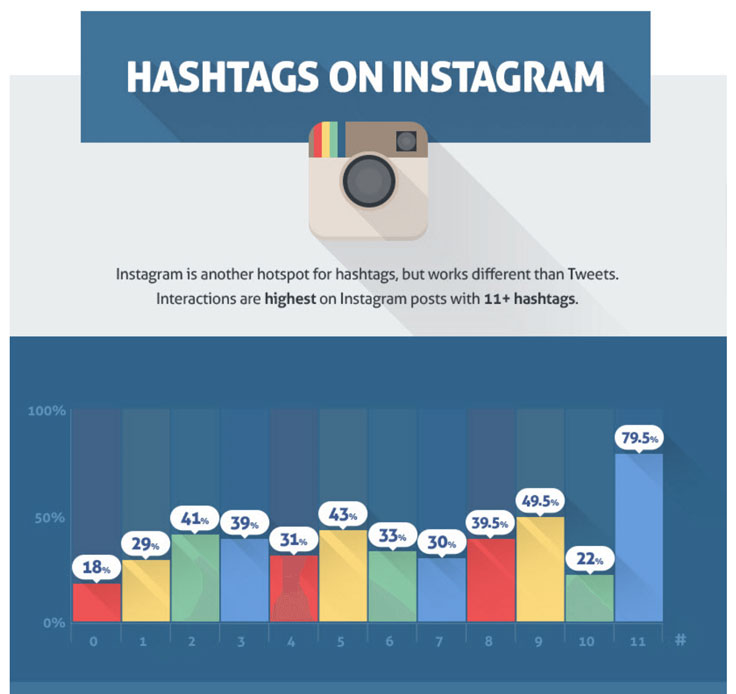
Let’s break down this study:
- 0 Hashtags – 18% interaction per 1k followers
- 1 Hashtag – 29% interaction per 1k followers
- 2 Hashtags – 41% interaction per 1k followers
- 3 Hashtags – 39% interaction per 1k followers
- 4 Hashtags – 31% interaction per 1k followers
- 5 Hashtags – 43% interaction per 1k followers
- 6 Hashtags – 33% interaction per 1k followers
- 7 Hashtags – 30% interaction per 1k followers
- 8 Hashtags – 39.5% interaction per 1k followers
- 9 Hashtags – 49.5% interaction per 1k followers
- 10 Hashtags – 22% interaction per 1k followers
- 11 Hashtags – 79.5% interaction per 1k followers
Using 11 or more hashtags means 442% more engagement that using none, and about double engagement over using 1 – 10. So yes, use at least 11, and more if you want to grow your account.
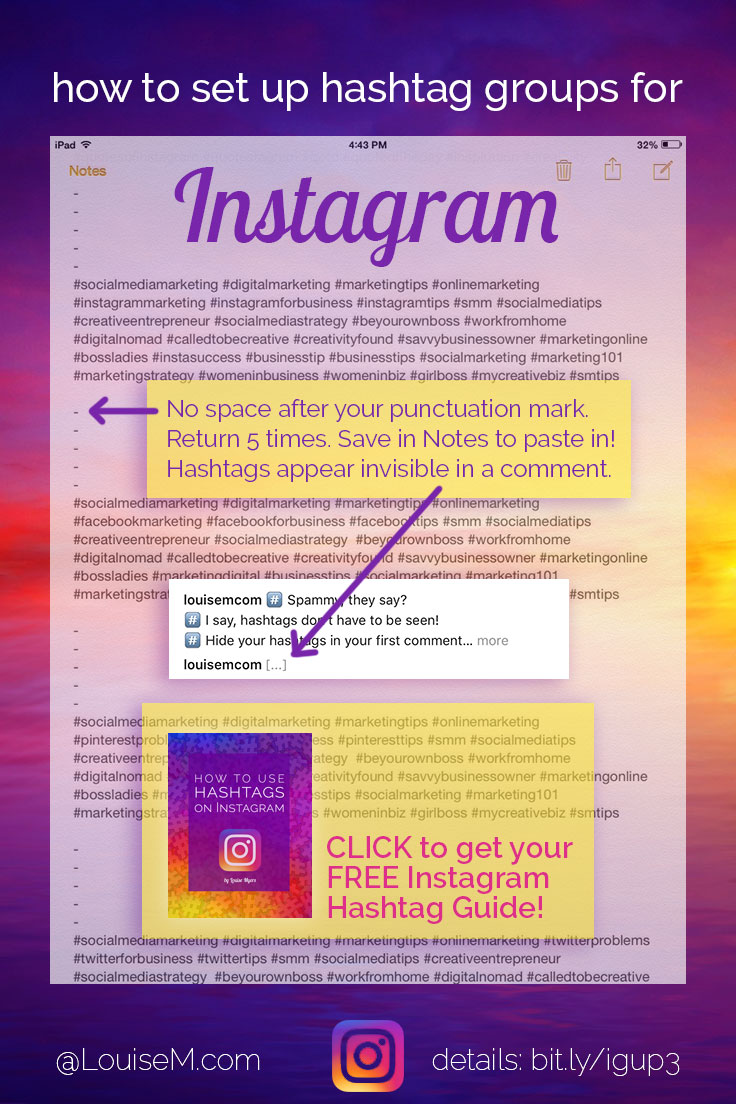
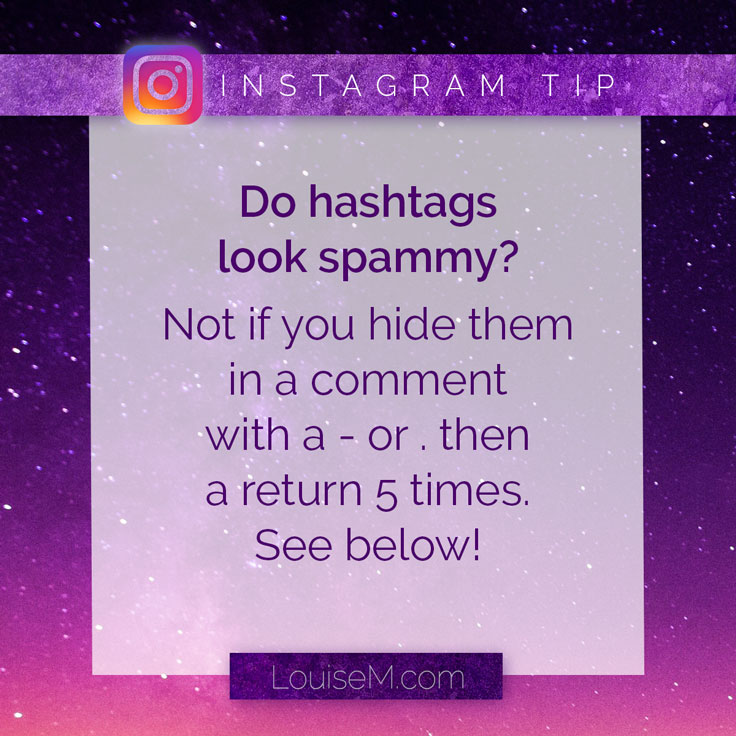
You can hide your hashtags, so they can’t look spammy! Make them invisible by preceding them with five periods, each one on a line by itself. NO space after the period or it won’t work. If you post this in your first comment, IGers will just see […] after your name in the stream.
Use Better Hashtags on Instagram
Use more hashtags that are relevant to your niche. Using specific and relevant hashtags helps you connect with people who are looking for exactly what you’re posting. You can find relevant tags by searching your keywords in Instagram, or using a site like Hashtagify.me.
Watch what others in your niche are using. See what your peers and influencers are posting on their photos. Check out the related tags Instagram suggests when you tap a tag that’s relevant to your content. Try them if they seem useful!
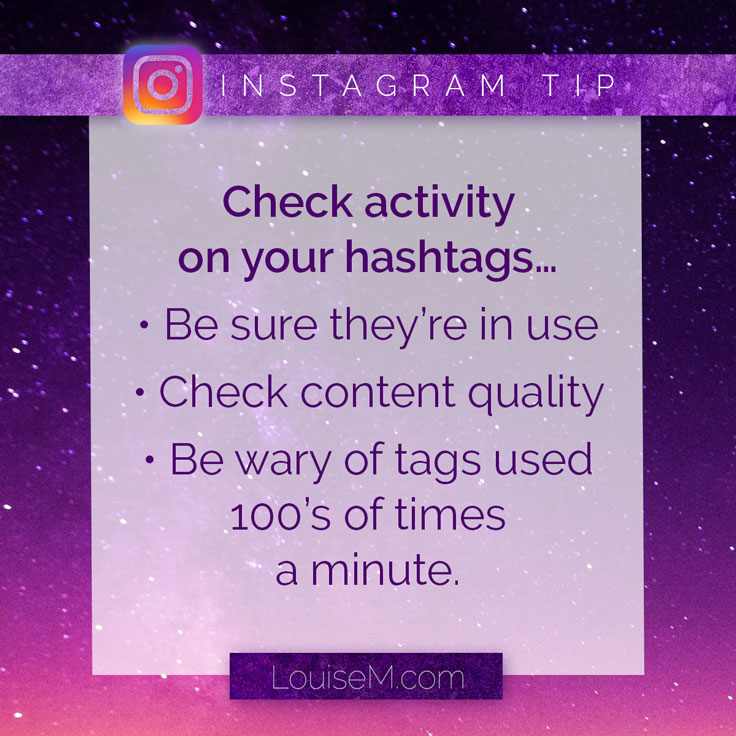
Be sure your hashtags are active. Check the hashtag feed to see that the tags you’re using are currently being used by others. Hint: If you scroll down 20 rows and are still finding content posted in the last few seconds, that tag is probably too active!
• • • CLICK to Get your FREE Hashtag Guides! • • •
Craving Ideas for What to Post on Social Media?
Stop using the most popular hashtags like pretty, beautiful, love and similar ones. Frankly, I never saw the point of these anyway, as your post is buried in that feed within milliseconds. In researching this, I also discovered a lot of posts in those tags that I don’t even want to be seen with (some I even felt obligated to report).
Okay, sprinkle in a few popular hashtags when relevant to your post. Not necessarily the ones with 100M’s of posts, but even one or two of these might be used occasionally. Note: Your content really needs to be awesome to stand out in a lighting-fast moving tag feed!
Create a custom tag for your brand or campaign. Check that these tags aren’t already being used, particularly in a way you wouldn’t approve of! Prompt fans and followers to use your tag, and you’ll soon learn just who your superfans are. Support, encourage, and regram them!

Post Instagram Hashtags Immediately
Once upon a time, using hashtags was easy. You posted a bunch with your photo. Later, you came back, deleted those tags, and added a bunch more.
Magically, your post was bumped to the top of those hashtag feeds, regardless of how long it had been since the original post. Your engagement spiked once again.
But Instagram changed all that for us in March 2015.
Now, no matter when you add a hashtag to your photo or video, it will appear in that hashtag feed with other photos and videos posted at its original posting time.
Or as Instagram says:
Keep in mind that if you add a hashtag to a photo after it was posted, the photo will still appear on the hashtag page according to the time it was originally posted, not the time the hashtag was added.
This, plus the burgeoning Instagram userbase, means we need be smarter about how we use hashtags on Instagram going forward.

Here’s how to beat the need for speed:
If you insist on using uber-popular hashtags, you MUST post them in your post caption. If you wait even a second to post them in a comment, they’re pretty much worthless, as your post will be buried in that hashtag feed the instant you add it.
If you post hashtags in several comments, post the more popular ones first. Post hashtag comments in the order of how fast the hashtag feeds move!
Niche hashtags CAN still be added at a later date! DON’T bother adding hashtags where the original date of your post would have it buried deeply in the feed – BUT there are some cool super-niche hashtags that have only several hundred to a few thousand posts in them. Many of these even have avid fans!
For easiest hashtagging, keep groups of 30 hashtags in your phone’s Notes app. Create and save a set of 30 tags for each type of post you make (or less than 30 if you insist 😉 ).
Copy your hashtag group before you make your IG post! Then you have them ready on your clipboard to add in a comment immediately. No fumbling, no wasting valuable seconds.

• • • CLICK to Get your FREE Hashtag Guides! • • •
Craving Ideas for What to Post on Social Media?
The Bottom Line: Do This!
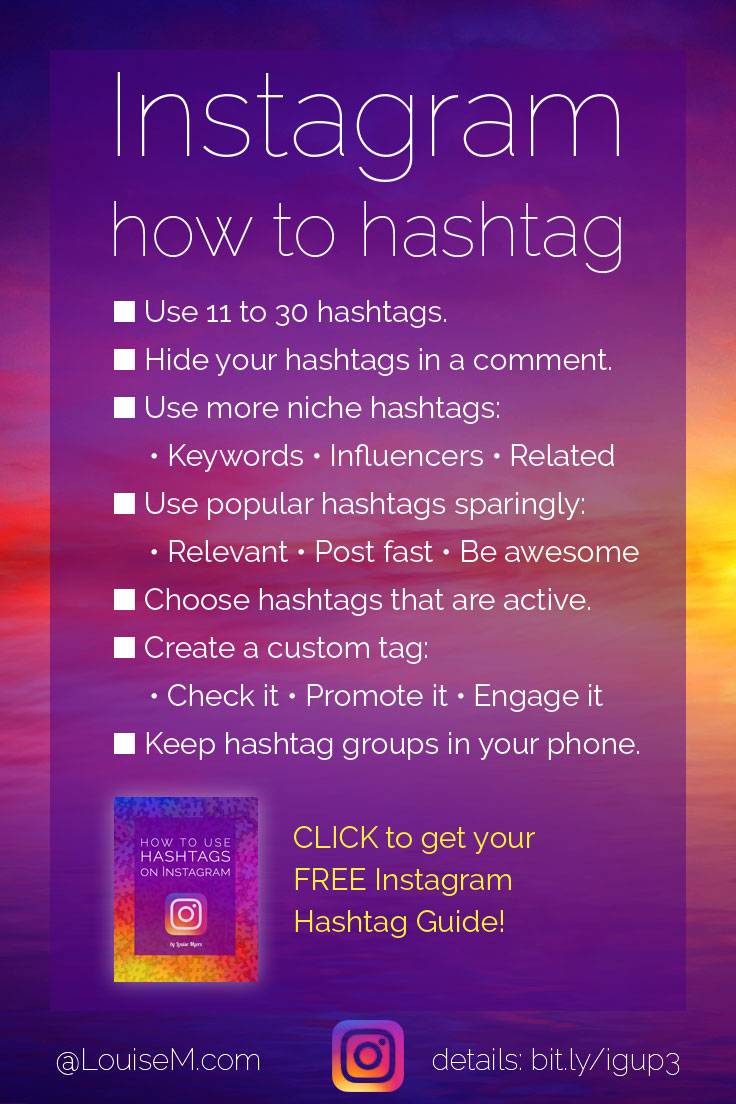
Use 11 to 30 hashtags to grow your account.
Hide your hashtags in a comment with . and return, 5 times.
Use more hashtags relevant to your niche.
- What are your keywords?
- What are peers/competitors/influencers using?
- What does Instagram suggest as related?
Use only a few popular hashtags.
- Only use tags relevant to your content.
- Post in the description – don’t wait for the comment.
- Your content must rock to stand out in popular tag feeds.
Choose hashtags that are actively used (but not too active!).
Create a custom tag for your brand or campaign.
- Be sure to check first to see if it’s already being used.
- Promote your tag’s use by followers.
- Engage / shout out your fans who use it!
Keep hashtag groups in your phone’s Notes app.
- One group for each type of content you post.
- Copy them to your clipboard before you post content.
- Follow up immediately with hashtags in a comment.
Bonus tip: Your hashtags will magically work much better if you’re posting awesome visuals! People are scanning those hashtag feeds, and you need to stand out.
• • • CLICK to Get your FREE Hashtag Guides! • • •
Craving Ideas for What to Post on Social Media?
If this post has helped you learn how to use hashtags on Instagram, please share!
{loadposition user99}


Leave a comment