
Ingenious! Facebook Cover Photo Mobile AND Desktop Template
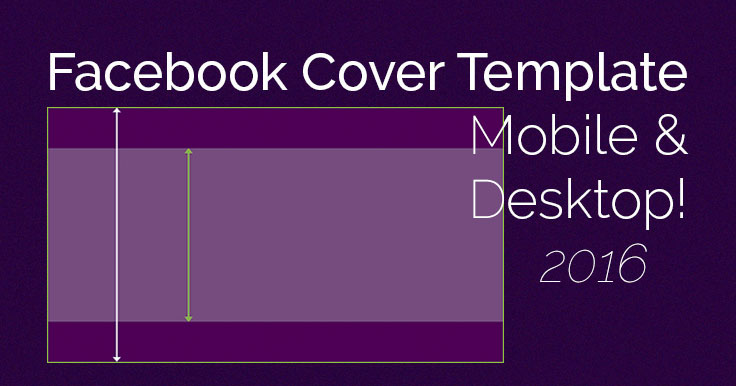
Want your Facebook Cover Photo to look good on both desktop AND mobile?
It should! After all, over half – 51.7% – of Facebook users ONLY access the site by mobile. Close to a billion users access Facebook daily through their mobile phones. source
I love my big beautiful desktop monitor, but even I use Facebook on mobile from time to time 😉
Now your Cover Photo can have it both ways! Here’s a Facebook Cover Photo mobile template – that also works great on desktop.
Your mobile Cover Photo will no longer have the sides rudely chopped off!
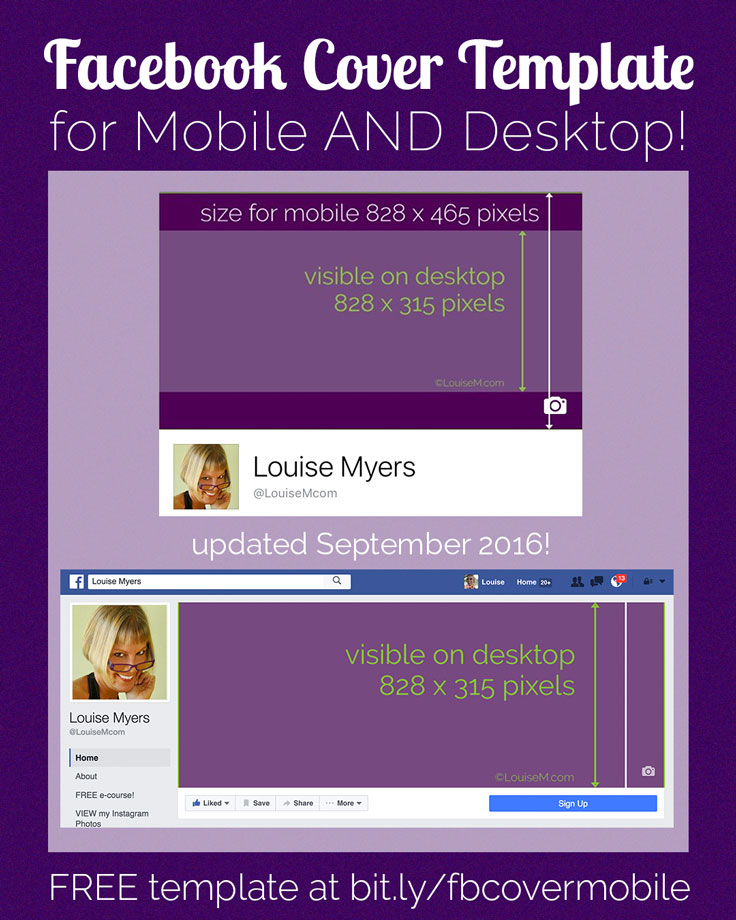
The secret is to make your image much taller than the recommended 828 x 315 pixels – 462 pixels tall, to be exact. This gives you 74 pixels top and bottom that will be cropped on desktop, with the Profile Picture and overlaid type (Page Name and Category) falling in roughly the same place on desktop and mobile.
As of today, anyway! Fall 2015’s small, inset Profile Picture on desktop is now back to a larger square that closely matches size and position on mobile.
NOTE: This post was originally published on Dec. 7, 2015, with a desktop size of 851 x 315 and a mobile size of 851 x 475. The desktop width has been reduced to 828 pixels, and I reduced the height for mobile accordingly (April 1, 2016). This change does NOT affect personal profiles.
I’ve made a handy NEW template you can follow – all free and paid members of my site can log in and grab it now!
NOTE: If you have difficulty finding the download after logging in, click this link to the free member resources. Sorry for the inconvenience!
When you upload your Cover Photo on desktop, you can adjust the top cropping so it’s positioned top-to-bottom exactly as you like it. If you upload on mobile, it will crop to center automatically in desktop view. However, I don’t recommend this, as the compression is terrible! Stick to uploading a PNG file via your desktop computer and it will look 100 times better.
 I recommend uploading your FB cover photo as a PNG file via desktop to avoid unsightly image compression.
What do you think? Now your Facebook Cover Photo mobile version can rock just like on desktop! Share with a friend!
{loadposition user99}


Leave a comment