
The 13 best iPad apps for pro designers
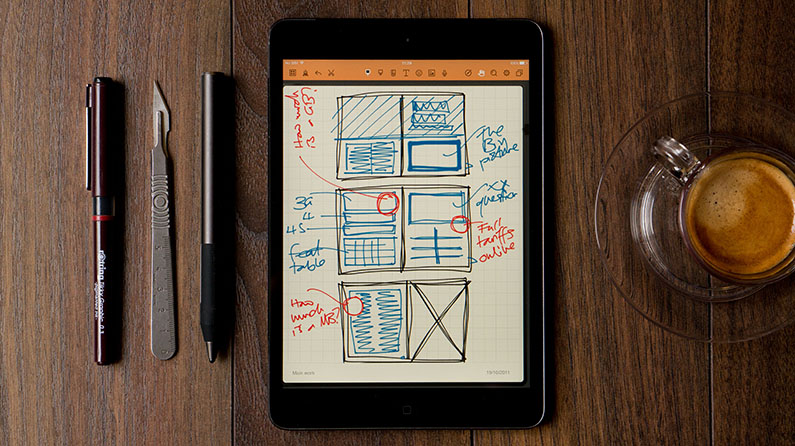
Discover the best iPad apps for pro designer use
The iPad can be an incredible tool for designers, but like any tool you have to know how to use it well before you get the most from it. For a device like this, knowing what apps you should add that will make your life as a creative professional better is the key, which is why we’ve put together this list of suggestions. Load an iPad up with all these apps and you’ll have a formidable, hugely capable partner in your work.
Now, at this point, most articles of this kind would list the best drawing apps for iPad, because that’s all designers spend our days doing, yeah? Daubing colours on a canvas? Well balls to that; the life of a creative pro is about much more – worse luck – than dreaming up ideas on a sketchpad, so our list is much more pragmatic and realistic; these really are tools that will help with all aspects of your job.
We’re going to assume you know about and have some really big-name apps such as Pages, Keynote, Dropbox and Acrobat Reader, so we’re focussing here on the slightly less obvious apps. You’re bound to have your own suggestions too, so share them with everyone in the comments below!
01. Trello
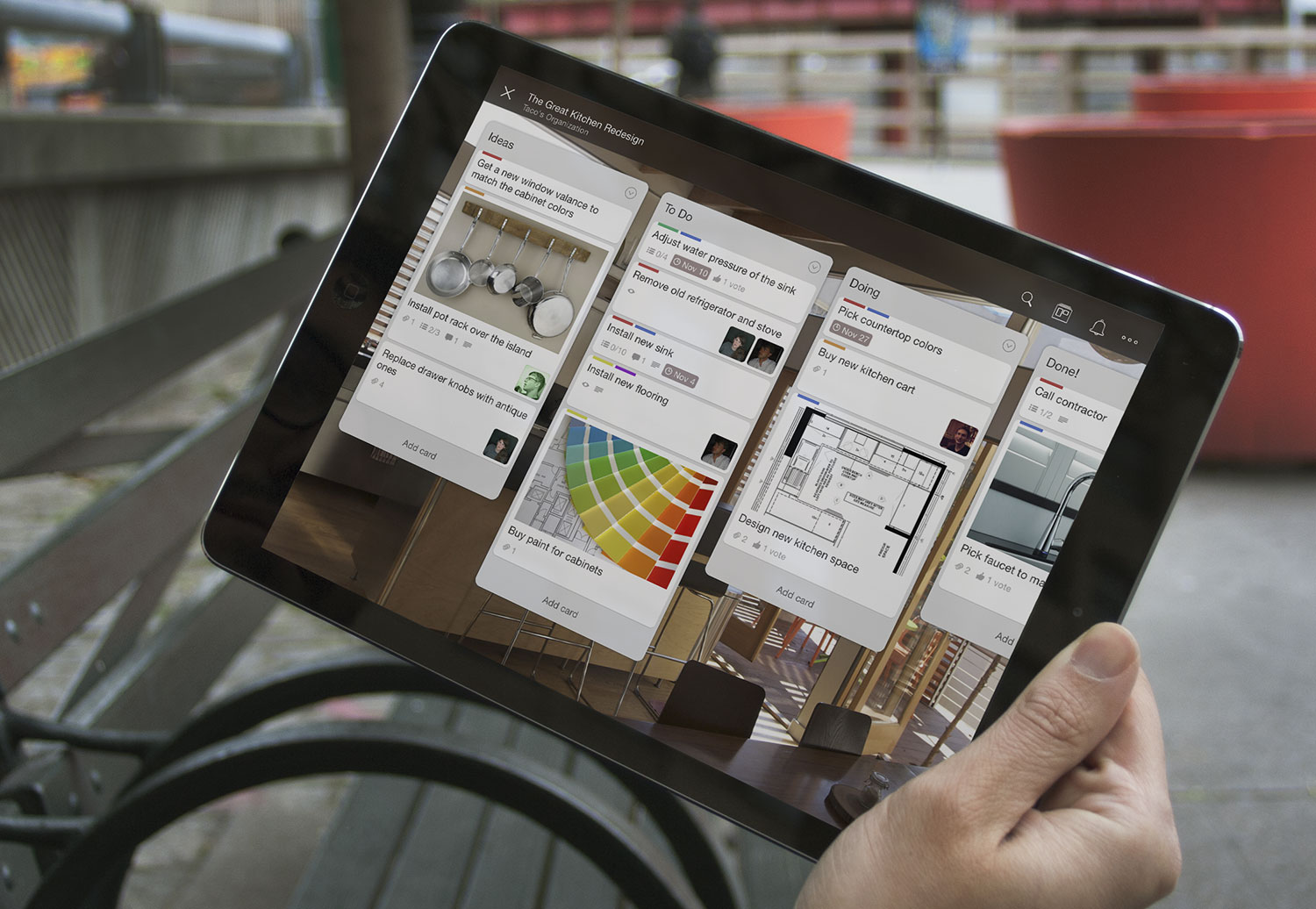
Trello helps you keep things organised, wherever you are
- Requirements: iOS 9.3
- Developer: Trello, Inc.
- Free, plus subscription
Whether you’re coordinating a big design project or just trying to organise a cleaning rota, Trello is a great tool for getting stuff done and staying organised. It makes it easy to invite people to collaborate on projects, and you can create custom boards for organising whatever you’re working on. The iPad ap is optimised for iPad Pro with plenty of tweaks to take advantage of its larger screen, and if you absolutely need project updates wherever you are, there are also apps for Apple Watch and even iMessage.
02. FontBook
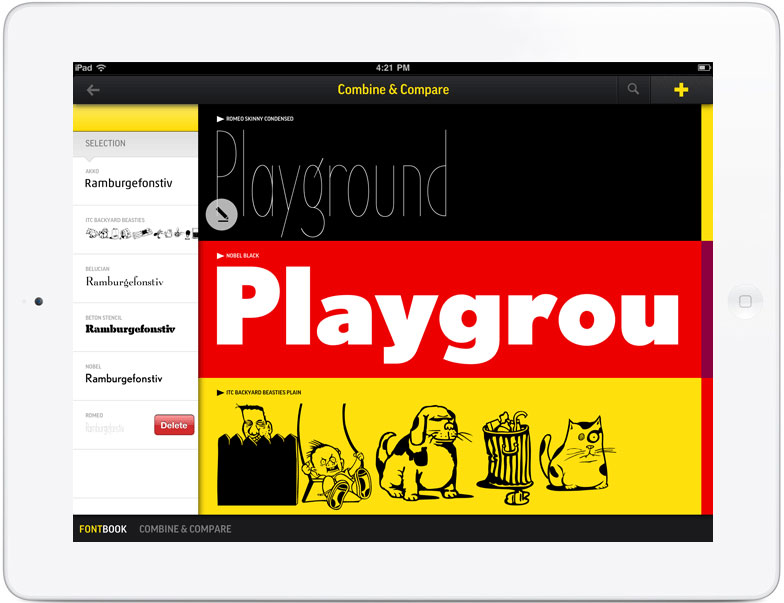
Expand your typographic horizons with FontBook
Key to most design projects is getting the typography right, and if you want to avoid falling into the trap of relying on a handful of go-to fonts, it’s good to have a decent font reference to hand. Monotype’s FontBook is just that kind of reference; it documents the libraries of 150 type foundries, covering 1,805 designers, 46,718 typefaces and 9,479 font families. You can browse fonts by class, foundry, designer, year or name, and the iPad app enables you to bookmark favourites and also share samples on Twitter and Facebook.
03. Procreate
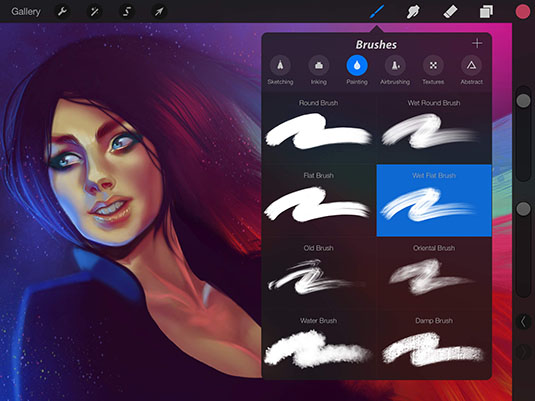
All right, we lied a bit when we said no drawing apps
Okay, so a part of our lives is sketching and painting – and if you’re going to do that, this is absolutely the app you want. Very fast, especially on more recent iPads where it can take advantage of their huge power, this is a truly wonderful natural media app, and what’s more it will work with the Apple Pencil too. Others to consider include Tayasui Sketches, Photoshop Sketch and ArtRage.
04. Parallels Access
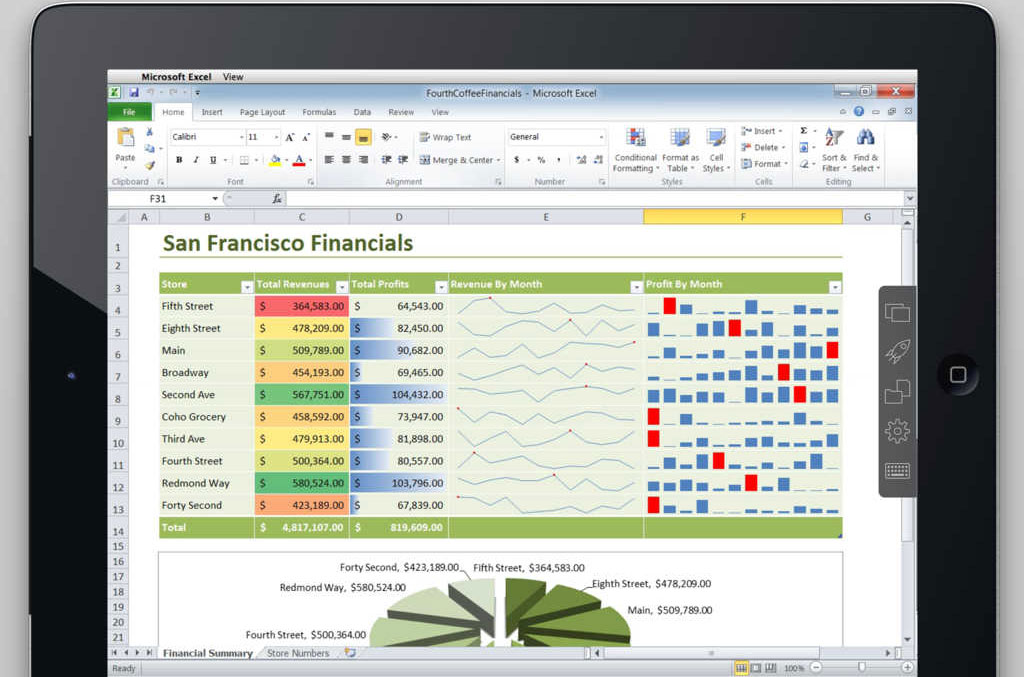
On a train and need those San Francisco financials? Sorted.
However good any iPad app is, sometimes you just really need to use one of your full-fat desktop packages. And while there are plenty of remote desktop apps such as TeamViewer that you can use to get to your actual desktop from your iPad, they’re heavy on bandwidth and there’s something not quite right about wrangling a mouse-driven interface on a touchscreen.
Parallels Access does things a bit differently, giving you full access to your desktop and using its special Applification technology to render your desktop apps as native apps, making them much easier to use on the go and also making ensuring that you can work without a fat internet connection; it’ll even work on 3G.
05. Noteshelf
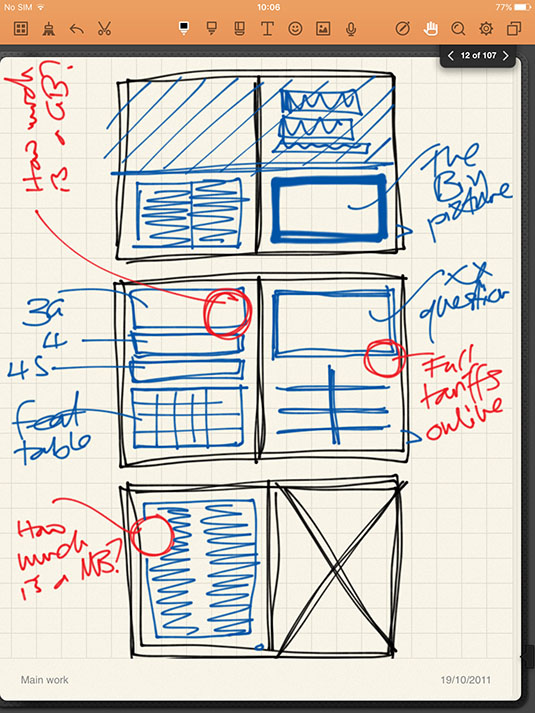
Write notes, sketch and record memos with Noteshelf
If what you want is the digital equivalent of a sketchbook, though, rather than a canvas – somewhere to write stuff down, doodle out a few ideas, take notes in a meeting – get Noteshelf. Its ability to mix typed, audio and handwritten notes – with beautiful ink effects – annotate documents and images, and even define custom paper designs to make it easy to create, say, iPhone wireframes for sketching app designs makes it the best app of its kind for creatives. Pairs with a range of third-party styluses too for pressure sensitivity and wrist rejection.
06. Adobe Comp CC
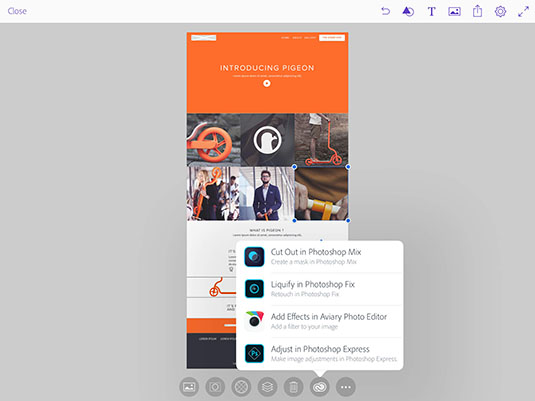
Adobe Comp is perfect for mock-ups and wireframes
- Requirements: iOS 8.1 or later
- Developer: Adobe
- Free
Adobe makes loads of apps for iOS, but this, for us, is the one that makes most sense for the iPad. With it, you can quickly and easily create mockups and wireframes for designs for web, print and more, and you can export them to Creative Cloud stable mates InDesign, Illustrator or Photoshop CC to work them up further; it’s a great way to make productive use of commute time, say – though of course just staring blankly out of the window can be just as effective a use of that time!
It’s worth adding Shape CC (which can create vector shapes from doodles) and Illustrator Draw, also from Adobe, to your iPad too.
07. Things for iPad
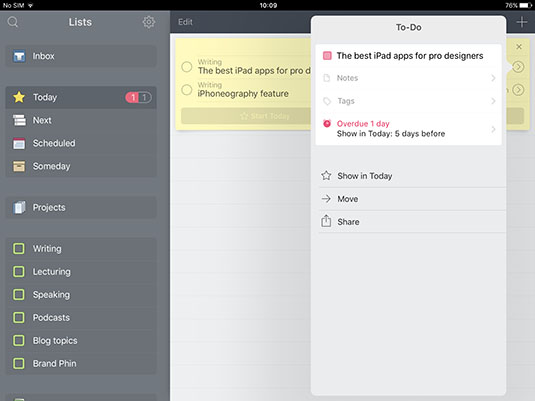
Things occupies the sweet spot between Reminders and Omnifocus
Apple’s Reminders app is actually more useful than most people give it credit for – especially if you set up reminders lists that can be shared among a team – but there’s no doubt a more accomplished to-do manager will help you keep on top of complex projects more easily. Some swear by OmniFocus, but for us it’s just a little too daunting in its power. Things, though, lets you define some sensible groupings, makes it simple to add and sort new tasks, and lets you easily see what deadlines are imminent.
08. OmniPlan 3
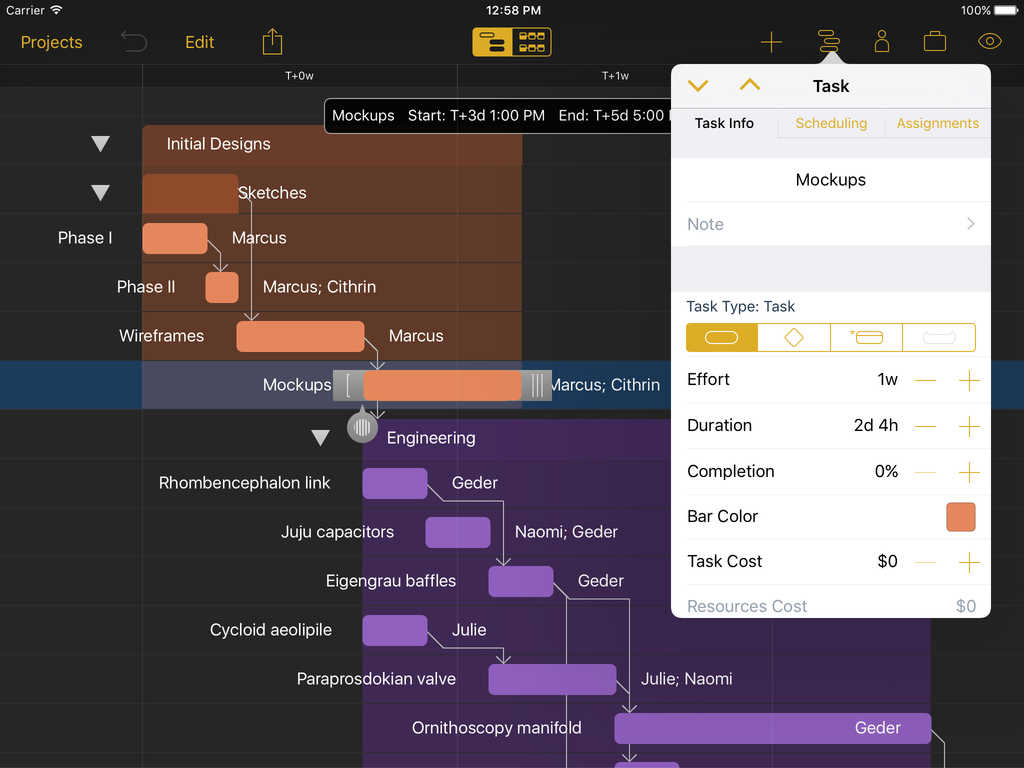
Big projects come together a lot easier with OmniFocus
While we’ve rejected The Omni Group’s to-do app for being a little too complex for the kind of to-dos we creatives want to track, it’s precisely that complexity that makes its project planning app a must-have – though only for big projects, and only for senior folk. (If you’re self-employed, mind you, or work in a very small team, guess what? You’re the senior.)
With OmniPlan, you can create Gantt charts to allocate time and resources to specific parts of a project, and because each part is interrelated, you can keep focussed on what the material effects will be of the wireframing process, say, taking longer than you has anticipated. Everything is live and shared, and it will help you resolve scheduling impossibilities. Basically: if you wanna hit deadlines for big projects, get this.
Next page: the next five iPad apps for pro designers
{loadposition user99}
How to create a realistic oil painting of nature
Further reading

10 top design-related movies

Leave a comment